


Visual memory test: patterns, recall and your results
Learn what this tile-pattern task asks you to remember, how exact-match scoring works, and how to make sense of a run without turning it into a general memory rating.
By PuzzleGenerator.org · Updated
| Format | 12 rounds, completed regardless of mistakes |
|---|---|
| Pattern display | 3 seconds per pattern |
| Task | Recall locations; the order of selection does not matter |
| Result | Exact matches, percentage correct and a pattern-by-pattern review |
How to take the visual memory test
Complete a quiz of 12 patterns. Each pattern appears for three seconds. When it disappears, select the same number of tiles and press Next. The next pattern starts immediately, with no correctness feedback between questions. Patterns become more complex as the quiz progresses.
How your pattern-recall score is calculated
Each exact match earns one point. All 12 rounds are completed, regardless of mistakes. The final tables show your score, accuracy and every shown and selected pattern. Earlier adaptive-level results in your history are labelled separately.
Switching tabs or hiding this page ends the attempt without saving a score. Complete a run in one sitting. Practice and your screen or input method can affect your result. These are practice games, not an IQ score or a clinical assessment.
What are you remembering in a visual memory task?
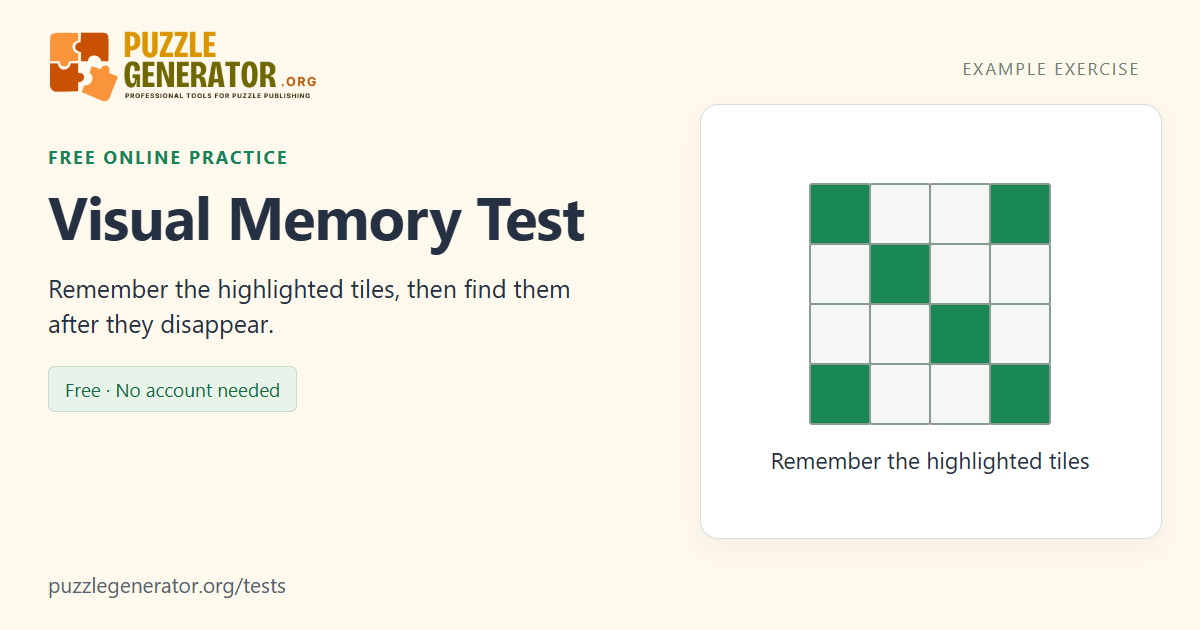
Imagine looking at a seating plan, closing it, and trying to point to the occupied seats. This test uses a simpler version of that problem: a group of squares lights up, the highlighting disappears, and you reconstruct the arrangement. You need the locations of the selected squares, rather than a sentence, a word meaning or a sequence of movements. The visible grid provides a frame of reference after the pattern has gone.
The exercise involves briefly holding visual and spatial information in mind. It does not sample everything that people mean by memory. Remembering a face next week, learning a new word and recalling a tile pattern after three seconds are different tasks. Your score therefore describes performance on these particular patterns, not a complete account of how your memory works.
Why the grid becomes harder as the quiz progresses
The first rounds use a small grid, while later rounds add more cells and more highlighted locations. In this 12-round version you encounter 3×3, 4×4 and 5×5 grids. The display time stays at three seconds. A larger pattern gives you more locations to distinguish within the same viewing period, so a result from a late round is not directly interchangeable with a result from an early one.
Treat the whole quiz as a set of challenges rather than a sudden pass-or-fail threshold. A difficult final pattern does not erase an earlier correct response. All twelve rounds are completed, and the review preserves both the displayed pattern and your selection. That makes it possible to notice whether you missed an isolated square, confused a pair of nearby cells, or remembered most of an arrangement but changed one location.
Read the answer review as well as the total
A point requires an exact set of locations. Selecting the correct number of cells is necessary, but it is not enough if one cell is in the wrong place. Selection order is irrelevant: the same three locations entered in a different order are still an exact match. The final percentage is the number of exact matches divided by twelve. It is not the percentage of individual squares you remembered across the session.
Use the paired diagrams to understand a missed point. A response that differs by one square and a response that differs by several squares both earn zero for that round, but their reviews show different mistakes. This is why the diagrams provide useful information that the headline percentage cannot. If you have older adaptive-format records in your history, compare them separately from the current twelve-round quiz.
Try a consistent way of looking at each pattern
You can experiment with describing the arrangement to yourself: a corner, a short row, a pair near the centre, or two separate clusters. Another approach is to scan one row at a time. Neither method is a required rule of the test. Choose one approach for a run and use the answer review to see where it helped you reconstruct the actual locations, rather than assuming that a technique must work for everyone.
Keep comparisons practical. Use a similar screen size and viewing distance, finish a run without switching tabs, and avoid taking notes if you want to practise recall. A touchscreen and a mouse can produce different selection errors even when you remember the same pattern. Repeating the exercise may make the interface and task more familiar; that is not evidence by itself of a wider change in everyday memory.
Example: the same locations in a different order
This illustration uses row and column labels, not a pattern from your current run.
| Shown locations | Your selection | Outcome |
|---|---|---|
| R1 C1, R2 C3, R3 C2 | R3 C2, R1 C1, R2 C3 | Exact match: selection order is ignored |
| R1 C1, R2 C3, R3 C2 | R1 C1, R2 C2, R3 C2 | No point: one location differs |
An example outcome explains the rule; it is not a reference score for any age group.
Frequently asked questions
What is a good visual memory test score?
There is no age-based or population benchmark for this original quiz. A result such as 9/12 means nine patterns were reconstructed exactly. Compare your own runs in the same twelve-round format, under similar viewing and input conditions, and look at the missed patterns rather than assigning yourself a memory label.
Do I have to select the squares in the order they appeared?
No. The highlighted cells appear as a pattern, and the test compares the set of selected locations. Order does not affect the result. The separate Sequence Memory Test asks you to remember the order of individual flashes.
Why does Next sometimes ask me to select more tiles?
You must select exactly as many cells as the displayed pattern contained. The counter shows how many you have chosen. You can tap a selected cell again to remove it, replace a choice, and then continue once the required number of cells is selected.
Can I use the visual memory test on a phone?
Yes, the grid supports touch input as well as mouse selection. A smaller screen changes the size and spacing of the cells, so use a comfortable view and compare phone runs with other phone runs where possible. Switching away from the page interrupts an unfinished attempt.
Are visual memory results saved without an account?
Completed score summaries are saved in this browser on this device, up to ten runs for the test. The full pattern review remains available until you restart or leave the page. Clearing site data or using Clear history removes the saved summaries; they are not synchronised to an account.
Sources and further reading
The instructions and scoring above describe this implementation. These references provide background; they do not validate or endorse this particular browser test.