


Schulte table: practise finding numbers in order
Understand the shuffled number grid, the completion timer, marked cells and mistakes before comparing a 3×3, 4×4 or 5×5 attempt.
By PuzzleGenerator.org · Updated
| Grid choices | 3×3, 4×4 or 5×5 |
|---|---|
| Numbers | 1–9, 1–16 or 1–25 |
| Task | Find every number in ascending order |
| Result | Completion time, mistakes and a selection-by-selection review |
How to complete a Schulte table
Choose a 3 × 3, 4 × 4 or 5 × 5 table. Find the numbers from 1 to the largest number in ascending order. The board is shuffled for each attempt. You can click, tap or use the arrow keys and Enter or Space. The next number is shown above the table.
How completion time and mistakes are recorded
The result is your total completion time in seconds, alongside the number of mistakes. A wrong choice does not advance the target or stop the timer. Correctly found numbers stay green with a check mark. They remain visible; tapping them again does not add a mistake. Compare runs of the same table size, input method and highlighting mode. Earlier results from unmarked tables are labelled in your history.
The timer starts when the table becomes visible. Switching tabs or hiding the page interrupts the attempt without saving it. This is a visual search practice game, not a diagnostic assessment.
What is a Schulte table exercise?
A Schulte table is a visible grid of shuffled numbers that you search in order. You start with 1, then locate 2, then 3, and continue until the largest number has been found. Unlike a memory-pattern task, the information does not disappear. The challenge is to keep track of the current target while searching among the other visible numbers.
This implementation offers three sizes. A 3×3 board contains nine targets, a 4×4 board contains sixteen, and a 5×5 board contains twenty-five. The numbers are shuffled for a new attempt. Changing size therefore changes both the number of selections and the search display, so completion times from different sizes are not directly equivalent.
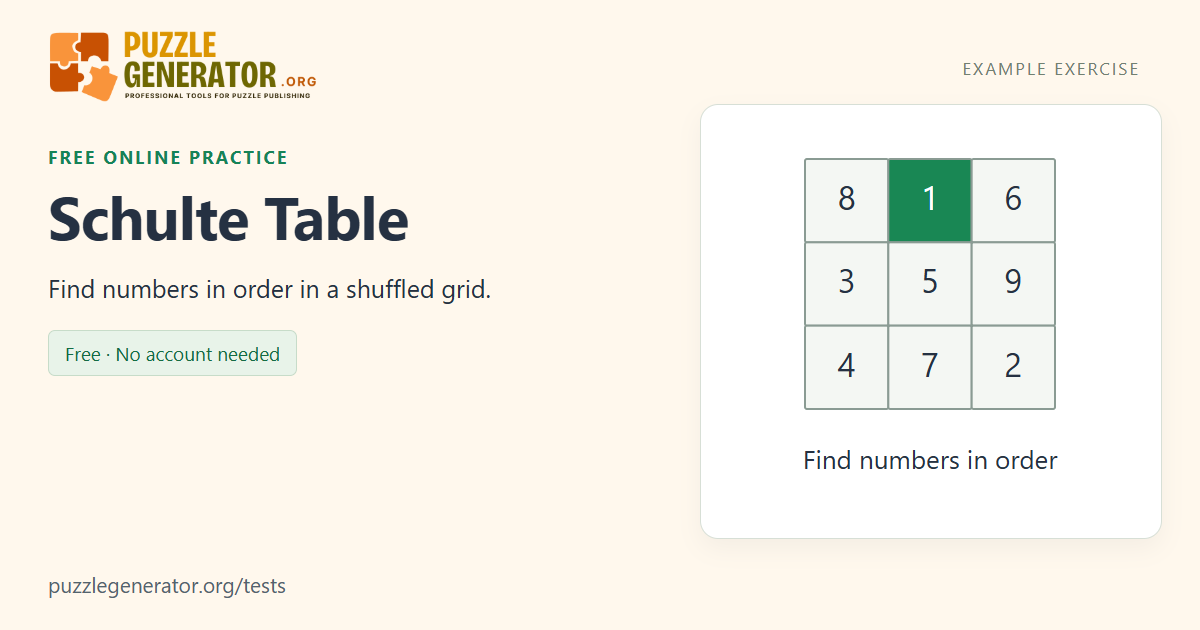
Correct choices remain marked on this version
After you find the required number, its cell turns green and receives a check mark. The number itself remains visible in the same position. This gives a clear acknowledgement that your click or tap registered and helps distinguish already completed targets from numbers you still need to find. Selecting a marked number again does not add a mistake.
A wrong choice briefly receives a red border and increments the mistake count. It does not advance the target or pause the clock. You still need the number shown above the board. If you used an earlier unmarked-table version, keep those history records separate: marking found numbers changes the visual information available while you complete the search.
Explore a search strategy without changing the task rules
You might scan rows systematically, look for the next target while moving to the current one, or return your attention to a consistent part of the board after each selection. These are approaches to try, not requirements for a valid attempt. The page does not enforce a fixed gaze position or measure where your eyes are looking, so it cannot report a field-of-vision or eye-tracking result.
Pay attention to the relationship between speed and mistakes. A faster completion with many errors is different from a slightly slower error-free run. The result keeps these measures separate rather than hiding them inside an unexplained combined score. The selection table helps you see where you chose a wrong number or spent longer finding the next target.
Use Schulte results as visual-search practice
Compare attempts with the same grid size, input method and highlighting mode. A larger screen can alter the spacing between cells; touch and mouse input can produce different selection errors. The browser timer includes the whole visible search period, not just the physical press of a button. Keep the page in view, because hiding it interrupts the attempt without saving a result.
A lower time in this exercise does not, by itself, establish faster reading, a clinical attention score or a change in general intelligence. The activity gives you a concrete task to practise and a record of its completion. You can also try a word-search puzzle if you want a related search task using letters, or a reaction test if you want to separate searching from responding to a single signal.
Example: how the target advances
In a 3×3 run, suppose the current target is 2.
| Your selection | Target afterwards | Effect |
|---|---|---|
| 2 | 3 | Cell 2 is marked; the clock continues |
| 7 | 2 | A mistake is added; you still need 2 |
| Already found 1 | 2 | The repeated selection is ignored |
The numbers stay in place throughout the run; a correct response does not reshuffle the board.
Frequently asked questions
What is a good time for a 5×5 Schulte table?
This version has no validated age-based time chart. A 5×5 run requires twenty-five correct targets, and its time depends on the arrangement, marking mode, screen and input method. Compare your own completed 5×5 runs with similar settings and consider mistakes alongside time.
Do found numbers disappear?
No. They remain visible, turn green and receive a check mark. This implementation deliberately acknowledges a correct selection. Earlier unmarked-table records are labelled separately in history because they used a different visual-feedback rule.
Does clicking a wrong number stop the timer?
No. A wrong choice adds a mistake and briefly changes the cell border. The clock continues and the target stays the same. Selecting a number already found does not add another mistake.
Can I use arrow keys instead of a mouse?
Yes. Use the arrow keys to move between cells, then Enter or Space to select a number. The result records the input method, including mixed input where applicable. Compare runs that use the same method when possible.
Will practising a Schulte table make me a faster reader?
The result only describes this number-search exercise. This page does not measure reading or establish a transfer to reading speed. You can use it as a short practice challenge without treating its completion time as evidence about a different skill.
Sources and further reading
The instructions and scoring above describe this implementation. These references provide background; they do not validate or endorse this particular browser test.